
PAID CALL SERVICE
L I B E R
Expert opinion over the phone
right now
right now
How to Start Using the LIBER Service:
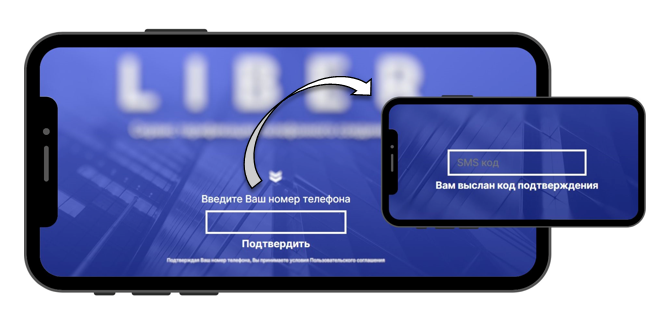
Step 1: On the personal account page, enter your phone number in the appropriate field and click "Confirm." An SMS message will be sent to the specified phone number. In the pop-up window, enter the code you received:
Step 1: On the personal account page, enter your phone number in the appropriate field and click "Confirm." An SMS message will be sent to the specified phone number. In the pop-up window, enter the code you received:
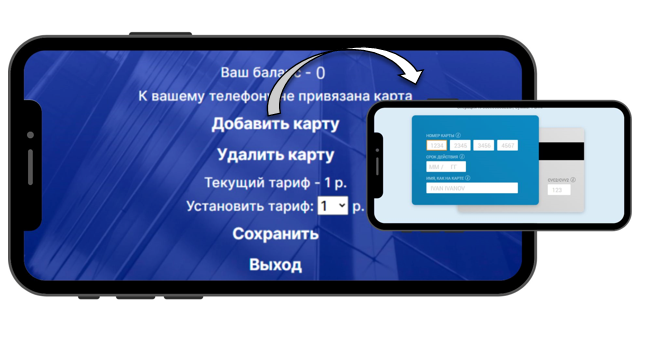
Step 2: In the pop-up window, select "Add Card" to enable automatic payment for paid calls. Fill in the requested card details and click "Pay." To successfully link a card, a minimum balance of 1 $ is required:
Get answers to your questions
quickly and without overpaying
quickly and without overpaying